Introduction: The Panic Moment Every Crypto Owner Dreads
It happens in an instant. You sit down to check your crypto portfolio or make a transaction, type in your wallet password, and… nothing. Your stomach drops as you try a few more variations without success. Suddenly, the harsh reality hits: you’ve forgotten the password to your crypto wallet.
As a crypto retail investor, few situations are more stressful than being locked out of your own digital assets. What’s worse is that unlike traditional banking where you can simply call customer service to reset your forgotten password, cryptocurrency operates on decentralized systems designed specifically to prevent outside access – even when that “outside” person is you.
According to a 2023 study by Chainalysis, an estimated $140 billion in cryptocurrency sits in inaccessible wallets, with forgotten passwords being one of the leading causes. You’re not alone in this predicament – many experienced investors have found themselves in the same situation.
The good news? Recovery is often possible, and this comprehensive guide will walk you through seven proven methods that have helped thousands of crypto holders regain access to their funds. We’ll cover everything from DIY approaches to professional services, with practical step-by-step instructions for each wallet type.
Understanding Wallet Types and Their Recovery Options
Before diving into recovery methods, it’s crucial to understand what type of wallet you’re dealing with. Different crypto wallets offer varying levels of security and recovery options.
Software Wallets
Desktop/Mobile Wallets: Applications like Exodus, Electrum, or BitPay that store your keys on your device.
- Recovery difficulty: Medium to High
- Common recovery methods: Seed phrases, backup files, password hints
Web Wallets: Browser-based wallets like MetaMask or wallet interfaces provided by exchanges like Coinbase.
- Recovery difficulty: Low to Medium
- Common recovery methods: Seed phrases, password resets via email
Exchange Wallets: Wallets provided by cryptocurrency exchanges like Binance or Kraken.
- Recovery difficulty: Low
- Common recovery methods: Standard account recovery through customer support
Hardware Wallets
Physical devices like Ledger or Trezor that store your private keys offline.
- Recovery difficulty: Low (with seed phrase) to Very High (without seed phrase)
- Common recovery methods: Seed phrases, PIN resets, passphrase recovery
Paper Wallets
Physical documents containing your public and private keys, often in QR code format.
- Recovery difficulty: Very High (if encrypted)
- Common recovery methods: Password bruteforcing, if encrypted
Before setting up a new wallet, it’s worth reviewing our guide to the best crypto wallets for retail investors to ensure you choose one with robust security and recovery features.
Now let’s explore the seven most effective recovery methods, starting with the easiest and most common approaches before moving to more advanced techniques.
Method 1: Using Your Recovery Seed Phrase
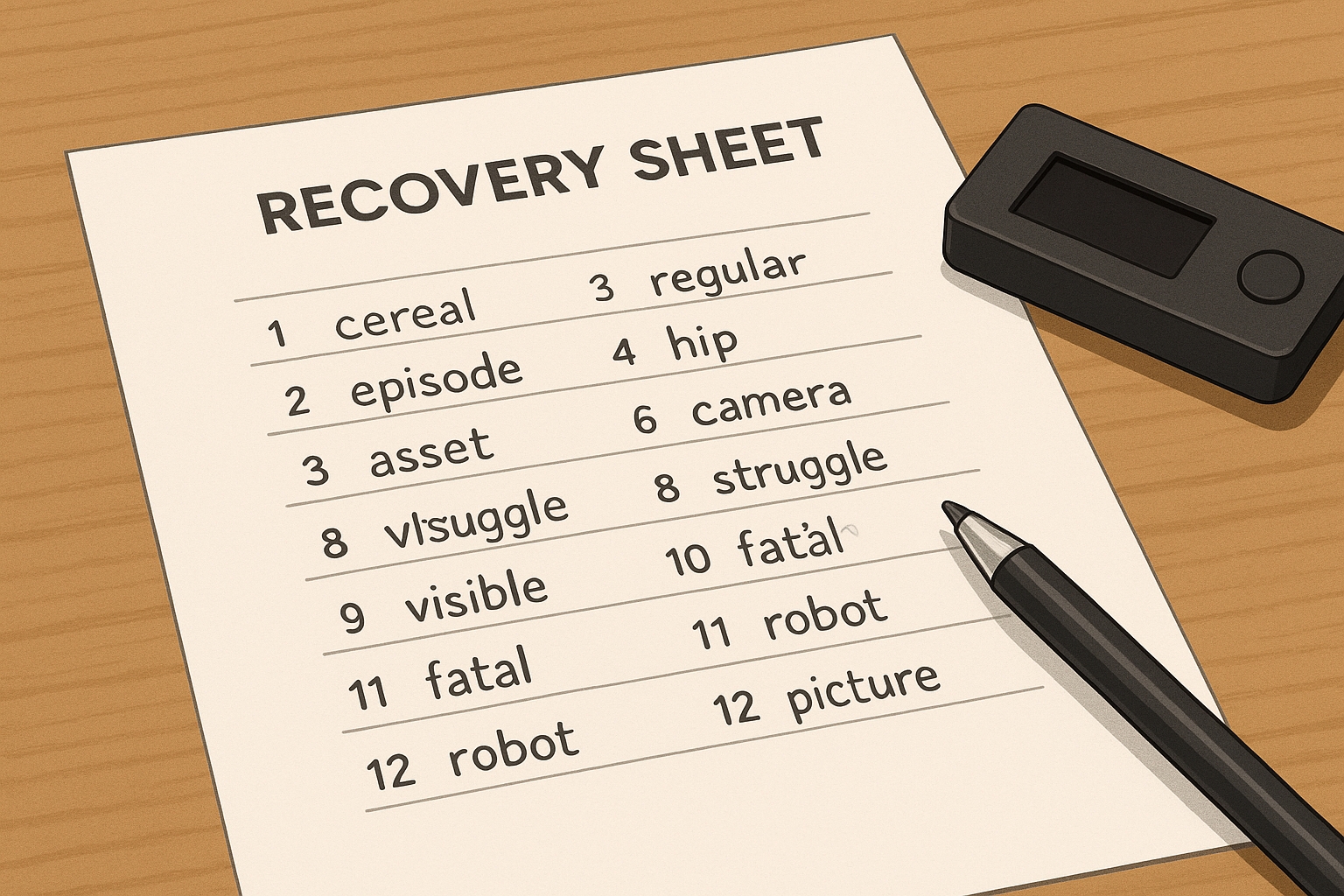
The recovery seed phrase (also called a mnemonic phrase) is the most reliable way to regain access to most modern crypto wallets. It’s a series of 12-24 words generated when you first create your wallet.
Step-by-Step Recovery Process:
- Locate your seed phrase: Find the paper where you wrote down your 12, 18, or 24 words. This should have been created when you first set up your wallet.
- Choose the appropriate recovery option:
- For hardware wallets like Ledger or Trezor: Connect the device, select “Restore wallet” during setup, and enter your seed phrase.
- For software wallets like Exodus or Electrum: Install the wallet software, select “Restore” or “Recover,” and enter your seed phrase.
- For web wallets like MetaMask: Click “Import using Secret Recovery Phrase” and enter your words.
- Create a new password: After successfully recovering with your seed phrase, you’ll be prompted to create a new password. Make sure to create a strong but memorable one this time!
Success Rate: Approximately 95% when the seed phrase is available and correctly recorded.
Real-Life Example: “When I forgot my Metamask password, I simply reinstalled the wallet and used my seed phrase to recover access. The entire process took less than 5 minutes, and all my tokens were still there. I was amazed at how simple it was compared to the panic I initially felt!” — Jason K., Retail Investor
Important: Your seed phrase is the master key to your wallet. Anyone with access to these words can control your funds. Never share them with anyone, never store them digitally (especially in cloud storage or email), and keep them in a secure, private location.
Method 2: Password Recovery Through Wallet Interface
Many wallet providers offer built-in recovery options through their user interface. This method works best for exchange wallets and some web wallets where the provider maintains some level of control.
Step-by-Step Recovery Process:
- Access the login page: Go to your wallet provider’s website or open the application.
- Look for recovery options: Click on “Forgot Password,” “Need Help,” or similar options. These are typically located near the login fields.
- Follow the provider’s process: This usually involves:
- Verifying your identity via email or phone
- Answering security questions you previously set up
- Using two-factor authentication devices if configured
- Create a new password: Once verified, you’ll be prompted to create a new password. Consider using a password manager this time to avoid future lockouts.
Popular Wallets with This Feature:
- Coinbase
- Binance
- Blockchain.com
- Crypto.com
- Trust Wallet (for some features)
Success Rate: Approximately 90% for exchange and web wallets with proper account verification.
Real-Life Example: “I couldn’t remember my Blockchain.com wallet password, but I had access to the email address I used to register. I clicked ‘Forgot Password,’ received a reset link, verified my identity with a code sent to my phone, and was back in my wallet within minutes.” — Lisa M., Crypto Investor
If you’re using an exchange wallet, make sure you’re working with secure crypto exchanges that offer comprehensive account recovery options.
Method 3: Using Wallet Backup Files
Many cryptocurrency wallets create encrypted backup files of your wallet data. If you’ve previously exported a backup file, this method can help you regain access even without remembering your exact password.
Step-by-Step Recovery Process:
- Locate your backup file: Common backup file extensions include:
- .dat (Bitcoin Core)
- .json (Electrum, MetaMask)
- .aes.json (Blockchain.com)
- .wallet (Multibit)
- .bin (Bitcoin Wallet for Android)
- Install the correct wallet software: Make sure you’re using the same wallet application that created the backup.
- Import the backup file:
- Bitcoin Core: Replace the wallet.dat file in your data directory
- Electrum: Use File > Open or Restore
- Blockchain.com: Use the Import option during login
- Other wallets: Look for Import, Restore, or Recover options
- Try password combinations: You’ll still need to enter a password, but having the backup file narrows down the specific wallet you’re trying to recover.
Success Rate: 60-75% when backup files are available and undamaged.
Wallet Backup File Locations:
| Wallet Type | Default Backup Location on Windows | Default Location on Mac |
|---|---|---|
| Bitcoin Core | C:\Users\Username\AppData\Roaming\Bitcoin | ~/Library/Application Support/Bitcoin/ |
| Electrum | User-defined during backup | User-defined during backup |
| Exodus | C:\Users\Username\AppData\Roaming\Exodus\exodus.wallet | ~/Library/Application Support/Exodus/exodus.wallet |
| Multibit | C:\Users\Username\AppData\Roaming\MultiBit | ~/Library/Application Support/MultiBit |
Real-Life Example: “I found an old wallet.dat file from 2017 on an external hard drive. I couldn’t remember the exact password, but I knew it was a variation of my standard password with some numbers. I imported the file into Bitcoin Core and after about 50 attempts with different combinations, I finally got in and found 0.3 BTC I had completely forgotten about!” — Michael T., Long-term Hodler
Method 4: Password Hints and Systematic Guessing
If you remember parts of your password or follow certain patterns when creating passwords, systematic guessing can be effective before moving to more technical solutions.
Step-by-Step Recovery Process:
- Create a list of possible passwords: Write down every variation you might have used, including:
- Common passwords you use elsewhere with modifications
- Special dates (birthdays, anniversaries) combined with text
- Variations with different capitalizations
- Variations with different special characters
- Consider password patterns: Many people follow patterns like:
- Replacing letters with numbers (e.g., a→4, e→3, i→1)
- Adding special characters at the beginning or end
- Capitalizing specific letters
- Create a structured approach: Rather than random guessing, work through your list methodically. Keep track of what you’ve tried.
- Implement attempt limits: To avoid permanent lockouts, limit yourself to 10-15 attempts per session, especially with hardware wallets.
Success Rate: 30-40% for passwords you partially remember.
Best Practices for Systematic Guessing:
| Do | Don’t |
|---|---|
| Create a physical list of possibilities | Try random combinations without a system |
| Take breaks between attempts | Try too many variations in one sitting |
| Focus on your most common patterns first | Ignore the specific requirements of the wallet |
| Document what you’ve already tried | Keep trying the exact same variants |
Real-Life Example: “I knew my Exodus wallet password contained my dog’s name and a year, but couldn’t remember which year or if there were any special characters. I made a list of 20 possible combinations and tried them systematically. On the 14th attempt, I got in with ‘Buddy2018!’ – it was such a relief!” — Sarah P., Retail Investor
Method 5: Using Specialized Recovery Software
Several open-source and commercial software tools can help you recover wallet passwords by trying millions of combinations based on parameters you provide.
Step-by-Step Recovery Process:
- Select appropriate recovery software:
- Hashcat: Powerful open-source password recovery tool (technical users)
- BTCRecover: Bitcoin wallet specific recovery tool (moderate technical skill)
- John the Ripper: Password cracking utility with wallet plugins (technical users)
- Dave Bitcoin’s Recovery Tools: Easier interface but less powerful
- Prepare your wallet file:
- For Bitcoin Core: Extract hash from wallet.dat using bitcoin2john.py
- For Electrum: Extract hash using electrum2john.py
- For Blockchain.com: Extract hash using blockchain2john.py
- Configure the software with what you remember:
- Base password pattern
- Possible character substitutions
- Known parts of the password
- Password length range
- Run the recovery process: Depending on your computer’s power and the complexity of your password, this could take hours to weeks.
Success Rate: 20-60% depending on password complexity and how much you remember.
Resource Requirements:
| Software | Technical Skill Required | Speed | Supported Wallets |
|---|---|---|---|
| Hashcat | High | Very Fast (GPU-accelerated) | Most wallets (with right mode) |
| BTCRecover | Medium | Moderate | Bitcoin, Ethereum, most major wallets |
| John the Ripper | High | Fast | Many with plugins |
| Wallet specific tools | Medium | Varies | Limited to specific wallets |
Real-Life Example: “I had a Blockchain.com wallet from 2016 with a password I was 70% sure about. Using BTCRecover, I configured it with my base password and set it to try variations with special characters and numbers. After running for 27 hours on my gaming PC, it found the correct password – turns out I had added my birth year and an exclamation point. The software recovered about $3,800 worth of Bitcoin I thought was lost forever.” — Alex M., Tech-savvy investor
Warning: Only download recovery software from official sources or verified GitHub repositories. Malicious versions exist that are designed to steal wallet information.
Method 6: Professional Password Recovery Services
When DIY methods fail, professional crypto recovery services offer specialized expertise and powerful computing resources dedicated to wallet recovery.
How Professional Services Work:
- Research and select a reputable service: Look for:
- Longevity in the industry (3+ years)
- Positive testimonials and reviews
- Transparent fee structures (typically 10-20% of recovered funds)
- No upfront payment requirements
- Initial consultation: Most services offer a free assessment of your recovery chances.
- Provide necessary information:
- Wallet type and version
- Backup files
- What you remember about the password
- Approximate wallet balance (optional)
- Review and agree to terms: Understand the fee structure and what happens if recovery is unsuccessful.
- Verification process: Reputable services will require proof that you are the legitimate owner of the wallet.
- Wait for results: Recovery can take anywhere from days to months depending on complexity.
Leading Professional Recovery Services:
| Service | Established | Fee Structure | Specialties |
|---|---|---|---|
| Wallet Recovery Services | 2013 | 20% of recovered funds | Most major wallets |
| KeychainX | 2017 | 10-20% of recovered funds | Bitcoin Core, Blockchain.com |
| Crypto Asset Recovery | 2017 | 20% (min $100) | Hardware wallets, encrypted backups |
| Pro Crypto Recovery | 2018 | 15-25% of recovered funds | Trezor, Ledger, software wallets |
Success Rate: 10-30% for complex cases, higher for simpler passwords.
Real-Life Example: “After trying everything I could think of for weeks, I contacted Wallet Recovery Services about my inaccessible Bitcoin Core wallet. I knew my password contained my wife’s name and our anniversary, but couldn’t get the exact combination right. Their team worked for 11 days and successfully recovered the wallet containing 1.4 BTC. Their fee was 20%, which was absolutely worth it considering I had nearly given up hope.” — Robert J., Long-term Bitcoin investor
Important: Never share your seed phrase with recovery services. Legitimate services don’t need your seed phrase to recover passwords. If a service asks for your seed phrase, it’s likely a scam.
Method 7: Hardware-Based Recovery Methods
For hardware wallets like Ledger and Trezor, specialized approaches can sometimes recover access when standard methods fail.
Step-by-Step Recovery Process:
- Determine if PIN recovery is possible:
- Trezor: After multiple incorrect PIN attempts, the device will require a recovery reset
- Ledger: After three incorrect PINs, the device resets automatically
- For lost PINs with seed phrase available:
- Reset the device
- Restore using your seed phrase
- Set a new PIN
- For forgotten optional passphrases (with seed phrase available):
- For Trezor: Use the Trezor Suite’s advanced recovery options
- For Ledger: Use BTCRecover’s hardware wallet module to test passphrase variations
- For physical damage:
- If the device is damaged but the secure element is intact, specialized services can sometimes extract the private keys
- This requires physical possession of the device and significant technical expertise
Success Rate: 80-90% with seed phrase, 5-15% without seed phrase (physical recovery).
Wallet-Specific Reset Procedures:
| Hardware Wallet | PIN Reset Procedure | Passphrase Recovery Options |
|---|---|---|
| Ledger Nano S/X | Device wipes after 3 incorrect PINs | Use seed + BTCRecover for passphrase |
| Trezor One/T | Exponentially increasing wait times between attempts | Use TrezorSuite + advanced recovery |
| KeepKey | Device wipes after 3 incorrect PINs | Limited options without seed |
| BitBox | Device wipes after 10 incorrect PINs | Requires seed phrase |
Real-Life Example: “I set an additional passphrase on my Trezor but couldn’t remember exactly what I used. I had my seed phrase, so I wasn’t completely locked out, but I couldn’t access my ‘hidden’ wallet with most of my funds. Using BTCRecover with my seed phrase, I was able to test variations of my likely passphrase until it found the correct one. It turned out I had used my cat’s name with the year I got her, but had capitalized it differently than I remembered.” — Thomas W., Security-conscious investor
Prevention Is Better Than Recovery: Best Practices
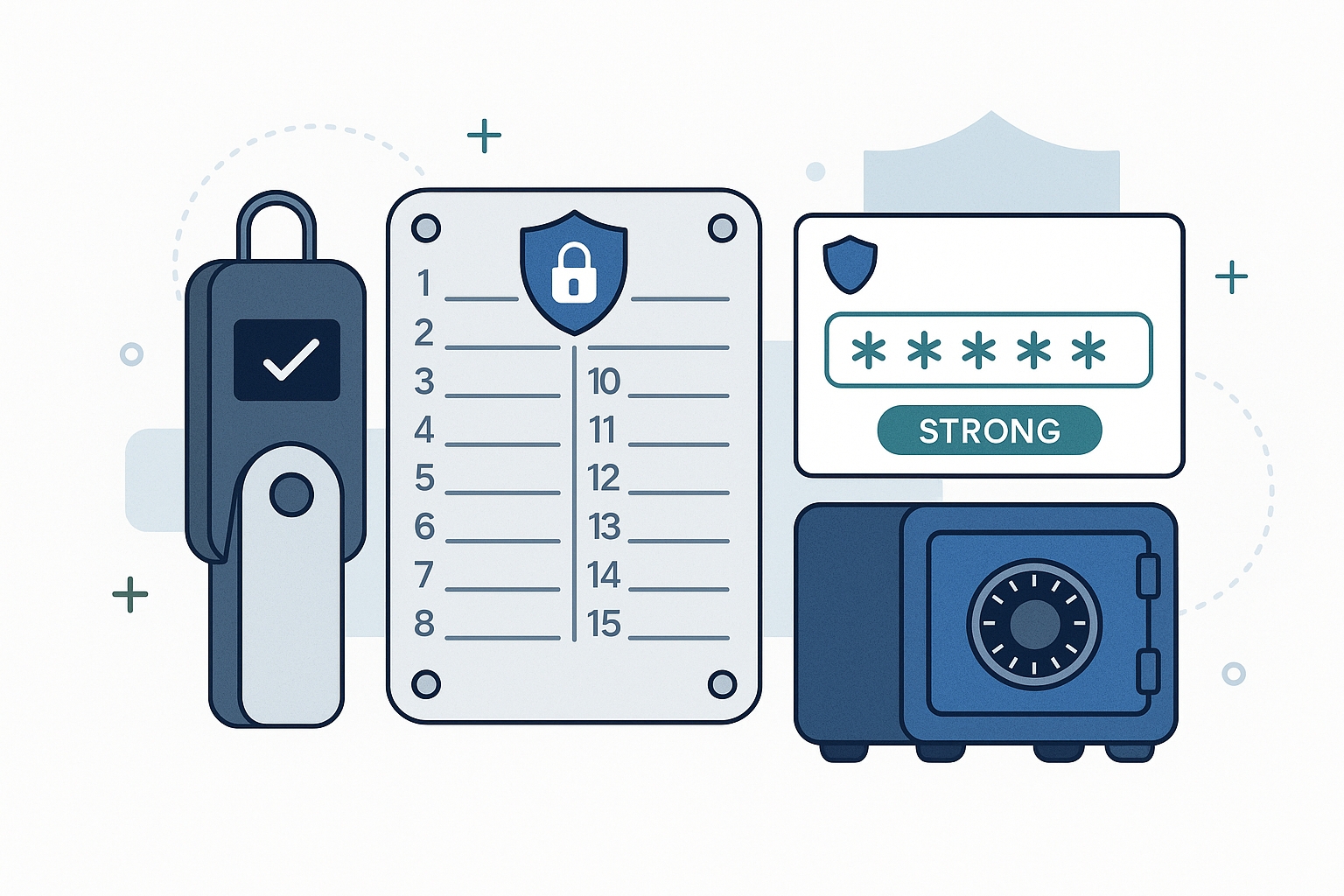
While knowing recovery methods is important, implementing strong security practices from the start will help you avoid password loss scenarios entirely.
Create a Robust Password Management System:
- Use a reputable password manager:
- BitWarden (open-source)
- 1Password
- LastPass
- KeePassXC (offline)
- Create strong, unique passwords:
- 12+ characters
- Mix of uppercase, lowercase, numbers, and symbols
- Avoid personal information
- Random rather than pattern-based when possible
- Test your access regularly:
- Log in to wallets at least quarterly
- Verify backup procedures still work
- Update password manager entries when changed
Implement Multi-Layer Backup Solutions:
- For seed phrases:
- Write on acid-free paper or use metal backup solutions (Cryptosteel, Billfodl)
- Store in multiple secure locations (home safe, safety deposit box)
- Consider splitting into parts for highest-value wallets
- Never store digitally unless encrypted with a master password you won’t forget
- For wallet files:
- Export and update wallet backups after significant transactions
- Store encrypted copies on offline media (USB drives, encrypted hard drives)
- Consider physical printouts of key information (with appropriate security)
- For passwords:
- Create secure hints you can store separately
- Consider secure password sharing with a trusted family member for emergency access
- Document your wallet access procedures for heirs
Emergency Access Planning:
- Create a crypto inheritance plan:
- Documented instructions for accessing your crypto assets
- Legal considerations (wills, trusts)
- Educate at least one trusted person on basic crypto concepts
- Consider multisig solutions:
- Require multiple keys for access
- Distribute keys among trusted parties
- Reduces single points of failure
Annual Security Audit Checklist:
| Item | Frequency | Actions |
|---|---|---|
| Password verification | Quarterly | Verify all wallet passwords still work |
| Backup testing | Annually | Test recovery of wallets from backups |
| Seed phrase verification | Annually | Confirm seed phrases are readable and complete |
| Hardware wallet firmware | As released | Update to latest secure versions |
| Access documentation | Annually | Update recovery instructions for heirs |
Conclusion: Don’t Panic, Take Methodical Action
Losing access to your crypto wallet can feel devastating, but as we’ve explored, multiple recovery paths exist. The key is to approach the situation methodically rather than panicking.
Start with the simplest methods like using your seed phrase or wallet recovery options before progressing to more technical approaches. Document everything you try to avoid repeating steps and wasting time.
Remember that professional services exist as a last resort, but due diligence is essential to avoid scams targeting desperate crypto owners. Never share seed phrases, be wary of upfront fees, and research any service thoroughly before engaging them.
Most importantly, use this experience to implement better security practices moving forward. The cryptocurrency space rewards those who take personal responsibility for their security, and with the right precautions, you can ensure you never face a permanent loss of funds due to forgotten passwords.
Have you faced a wallet recovery situation? Share your experience in the comments to help others in the community learn from real-world scenarios.
Frequently Asked Questions
Can I recover my crypto wallet without a seed phrase or backup?
Recovery without a seed phrase or backup is significantly more difficult but not always impossible. Success depends on the wallet type, how much you remember about your password, and whether you still have access to the device where the wallet was installed. Professional recovery services may be your best option in this scenario.
How long does the recovery process typically take?
Recovery time varies greatly depending on the method:
- Using a seed phrase: Minutes
- Password hints and systematic guessing: Hours to days
- Recovery software: Hours to weeks
- Professional services: Days to months
Are recovery services legitimate or scams?
Both legitimate recovery services and scams exist. Legitimate services typically:
- Have been in business for years with verifiable reviews
- Don’t require upfront payment (they take a percentage of recovered funds)
- Never ask for your seed phrase
- Provide clear explanations of their methods
- Offer free initial consultations
What should I do if I think my wallet has been hacked rather than locked due to a forgotten password?
If you suspect unauthorized access rather than a forgotten password, immediately:
- Check transaction history for unauthorized transfers
- If using an exchange wallet, contact their security team immediately
- If using a self-custody wallet, create a new wallet with a different seed phrase and transfer any remaining funds
- Document everything for potential legal action
- Report the theft to relevant authorities and blockchain forensic services
Can I recover a wallet if I’ve forgotten both my password and seed phrase?
This represents the most challenging recovery scenario. Without either a password or seed phrase, recovery chances are extremely low for most wallet types. Your only options would be:
- Finding an old automatic backup you weren’t aware of
- Using specialized recovery services if you remember significant portions of your password
- For some wallet types, exploiting security vulnerabilities (ethical considerations apply)
Recovery in this scenario is not guaranteed and success rates are typically under 10%.